
¿Qué es MyStake App?
MyStake App Argentina no es un producto aparte del sitio: es la manera de usar la misma plataforma desde un Android, un iPhone o un iPad. La aplicación móvil de My Stake existe en dos formatos, y cada uno resuelve una necesidad distinta.
La APK es un archivo que se instala en Android y deja un ícono propio en el teléfono. No sirve para iPhone ni para iPad, porque iOS no admite ese tipo de archivos. La PWA, en cambio, funciona dentro del navegador: abrís el sitio, lo agregás a la pantalla de inicio y desde ese momento entrás con un toque, como si fuera una aplicación más. Por eso MyStake para Android y iPhone no significa lo mismo en cada sistema.
En los dos casos usás una sola cuenta. Podés empezar una sesión en la computadora, seguir en el celular y encontrar el mismo saldo, el mismo historial y las mismas promociones activas. El acceso móvil a MyStake no crea un perfil nuevo ni duplica tu billetera.
Un dato a tener en cuenta: jugar en un casino online desde el celular no garantiza ver todo el catálogo. Las secciones, los juegos y los medios de pago dependen de tu región y de la configuración de tu cuenta.
Mystake app download: cómo descargar la APK oficial para Android
La descarga de la APK se hace desde el sitio de la marca y lleva pocos minutos. Seguí estos pasos en orden:
- abrí el sitio oficial de MyStake desde el navegador de tu Android;
- entrá a la sección de acceso móvil;
- buscá el botón oficial de descarga para Android;
- descargá el archivo APK en el teléfono;
- abrilo desde la carpeta de descargas;
- si Android lo pide, permití la instalación desde orígenes desconocidos;
- completá la instalación y esperá a que aparezca el ícono;
- volvé a los ajustes y desactivá ese permiso.
La MyStake APK tiene que salir siempre del dominio oficial. Los archivos que circulan por Telegram, foros, catálogos de APK desconocidos o sitios espejo pueden estar modificados para capturar tu contraseña o los datos de tu medio de pago, y a simple vista se ven iguales al original. Antes de escribir tu usuario o cualquier dato de pago, revisá la dirección que muestra la barra del navegador: una letra cambiada o un dominio raro alcanzan para sospechar.
Si el archivo se descarga dañado o la instalación se corta, no busques “otra versión” en una página cualquiera. Borrá el archivo, volvé al sitio oficial y bajalo de nuevo con una conexión estable. Si el problema sigue, tenés la PWA como alternativa y el chat de soporte para consultar.
APK y PWA: ¿cuál es la diferencia?
La MyStake APK es una aplicación independiente, mientras que la PWA es el propio sitio funcionando como app. Descargar APK solo tiene sentido en Android; para usar la app de MyStake en Android sin archivos, o en iOS, la opción es la PWA.
| Opción | Dispositivos | Cómo funciona | ¿Requiere instalación? |
| APK MyStake | Android | Aplicación independiente | Sí |
| PWA MyStake | Android, iPhone, iPad | Aplicación web desde el navegador | No |
| Sitio móvil | Cualquier dispositivo compatible | Se abre en el navegador | No |
| Acceso desde la pantalla de inicio | Android y iOS | Ícono que abre la PWA | No |
MyStake descargar app en Android
En Android tenés dos caminos: instalar la APK oficial o usar la PWA desde Chrome. Los dos llevan a la misma cuenta, así que la elección depende de tu teléfono y de cuánto te moleste instalar un archivo por fuera de la tienda.
Antes de descargar MyStake en Android, revisá algunos puntos básicos:
- que el sistema esté actualizado, porque las versiones viejas de Android suelen rechazar aplicaciones nuevas;
- que haya memoria libre suficiente para el archivo y para los datos que la app guarda después;
- que el permiso de instalación se active solo para el navegador con el que descargás;
- que el archivo venga del sitio oficial y no de un enlace reenviado;
- que el permiso quede desactivado apenas termina la instalación.
Si la app de MyStake para Android no se instala, no la reemplaces por una copia bajada de otro sitio. Esa es justamente la situación que aprovechan las páginas que distribuyen archivos falsos. Abrí MyStake en Chrome, agregalo a la pantalla de inicio como PWA y seguí usando tu cuenta con normalidad. Mientras tanto, escribile al soporte por el chat oficial y contales qué modelo de teléfono tenés y en qué paso falla la instalación.
MyStake PWA para iPhone, iPad y Android
La MyStake PWA no requiere descargar ninguna APK: es el sitio oficial funcionando como aplicación desde el navegador. Es la única vía en iOS y una alternativa cómoda en Android. No pasa por App Store ni por Google Play: se agrega desde el propio navegador en menos de un minuto.
Para tener la app en iPhone, o usar MyStake para iPad, hacé lo siguiente:
- abrí MyStake desde Safari;
- tocá el botón Compartir;
- elegí Añadir a pantalla de inicio;
- confirmá el nombre del acceso;
- entrá a MyStake desde el nuevo ícono.
En Android el proceso es parecido:
- abrí MyStake en Chrome;
- tocá el menú del navegador, los tres puntos;
- elegí Añadir a pantalla de inicio o Instalar aplicación;
- confirmá la acción;
- usá el ícono como acceso rápido.
Este acceso móvil sin APK conviene a quienes usan iPhone y a quienes prefieren no instalar archivos externos en su Android. La PWA ocupa muy poco espacio y se actualiza sola, porque siempre carga la versión vigente del sitio. A cambio, depende del navegador: si Safari o Chrome están desactualizados, algunas pantallas pueden cargar lento o verse mal.
Qué ofrece la MyStake casino app desde el celular
La MyStake casino app muestra las mismas secciones que la versión de escritorio, reorganizadas para una pantalla chica. No es una edición recortada: lo que cambia es la navegación, con menús desplegables y botones más grandes. El saldo, los bonos activos y el historial son los mismos que ves en la computadora.
En el casino encontrás las tragamonedas ordenadas por categoría y proveedor, con buscador para llegar rápido a un título. El casino en vivo transmite mesas con crupieres reales; acá conviene usar wifi o buenos datos móviles, porque el video consume bastante más que una slot.
La sección de deportes permite revisar eventos, cuotas y mercados, armar el boleto y apostar antes del partido o en vivo. En las apuestas en vivo las cuotas cambian en segundos, así que una señal inestable puede hacer que el boleto se rechace o se recalcule. Los eSports tienen su propio apartado, con competencias de CS2, League of Legends y Dota 2. Los MiniJuegos, de rondas cortas, son de lo que mejor se adapta al teléfono.
Fuera del juego, desde el celular también manejás lo administrativo: ves las promociones disponibles para tu perfil, entrás a tu cuenta, revisás el historial, hacés depósitos y pedís retiros desde la caja, subís los documentos de la verificación KYC con la cámara del teléfono y hablás con el soporte por chat.
Funciones de MyStake desde el celular
La tabla resume qué podés hacer en cada sección, tanto desde la APK como desde la PWA.
| Sección | Qué podés hacer |
| Casino | Abrir tragamonedas y otros juegos |
| Casino en vivo | Entrar a las mesas y salas en vivo |
| Deportes | Revisar eventos y mercados |
| MiniJuegos | Jugar formatos rápidos |
| Promociones | Ver las ofertas disponibles |
| Pagos | Depositar y solicitar un retiro |
| Cuenta | Entrar al perfil, revisar el historial y el KYC |
| Soporte | Escribir al chat de atención |
La disponibilidad de juegos, mercados, pagos y promociones puede variar según la ubicación y la configuración de la cuenta.
Login en MyStake desde el móvil y aplicación
Para iniciar sesión en MyStake desde el celular usás los mismos datos que en la computadora: email, teléfono o nombre de usuario, más tu contraseña. No hay credenciales separadas para la APK o la PWA.
Si no recordás la clave, la pantalla de MyStake login tiene un enlace de recuperación que envía un correo con instrucciones. Si el mensaje no aparece en unos minutos, revisá la carpeta de spam antes de pedirlo otra vez. El procedimiento completo está en la guía de acceso.
Cuando la cuenta tiene activada la verificación en dos pasos (2FA), el login en la app de MyStake pide además un código temporal. Y un cuidado básico: ingresá tus datos solo en el sitio oficial o en la aplicación instalada desde ahí, nunca en una página a la que llegaste por un enlace de un mensaje.
Depósitos y retiros desde la app o PWA
Los pagos se manejan desde la sección Caja de tu perfil, igual en la APK que en la MyStake PWA. La lista de pagos de MyStake Argentina no es la misma para todos: los métodos y los límites dependen de tu cuenta, tu región y el proveedor que procesa la operación.
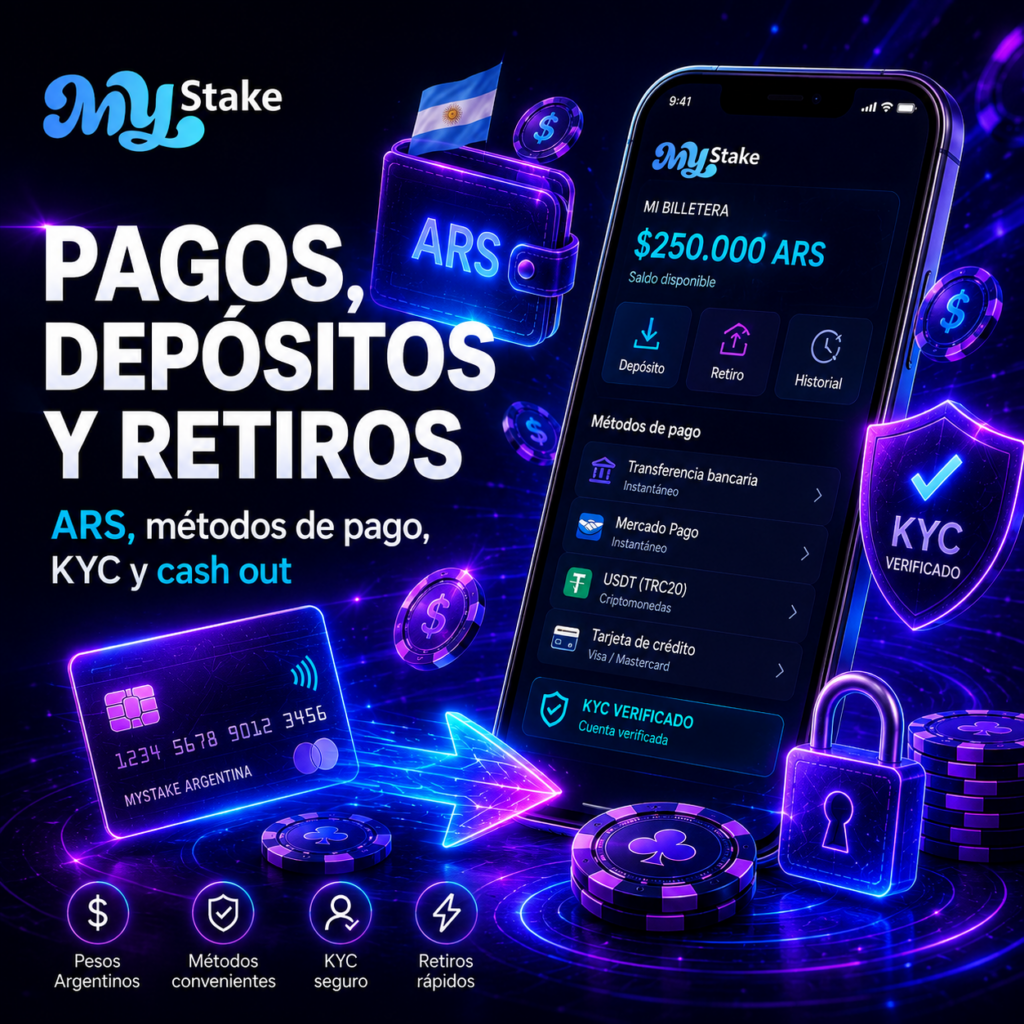
Para los depósitos desde la app elegís uno de los métodos que aparecen habilitados, cargás el monto y confirmás. Si tu cuenta muestra pesos argentinos (ARS), podés operar en esa moneda. No des por hecho que Mercado Pago, AstroPay, tarjetas o criptomonedas van a estar disponibles en tu perfil.
Los retiros desde el celular se piden en la misma sección. Antes de aprobar un retiro en MyStake app, la plataforma puede exigir la verificación KYC, comprobar que no quede wagering pendiente de un bono y confirmar que el medio de pago esté a tu nombre. Las comisiones y los plazos finales dependen además del proveedor, así que revisalos en la caja antes de confirmar.
Bonos disponibles en la aplicación
Desde la APK o la PWA podés abrir la sección de promociones y ver las ofertas habilitadas para tu perfil. Los bonos de MyStake son los mismos que en la versión de escritorio: no existe un MyStake mobile bonus exclusivo por usar el teléfono, salvo que la marca lo anuncie en una campaña puntual.
Entre las promociones habituales hay bono de bienvenida, cashback, giros gratis, recargas, programa VIP y torneos. Activar bonos desde el celular lleva un toque, y justamente por eso conviene leer antes de aceptar. En cada bono en MyStake app revisá:
- el depósito mínimo;
- el requisito de apuesta (wagering);
- el plazo de vigencia;
- los juegos permitidos;
- la apuesta máxima por jugada;
- las condiciones de retiro.
Un bono es saldo promocional con reglas, no dinero disponible.
Problemas comunes con MyStake App
La mayoría de las fallas se resuelve sin ayuda externa y entra en uno de cinco grupos: instalación de la APK, funcionamiento de la PWA, inicio de sesión, conexión y página de pagos. Antes de escribir al soporte, probá estas comprobaciones.
Errores de instalación de la APK
Cuando la APK no se instala, la causa suele ser una de estas: el archivo se descargó incompleto o dañado, el teléfono no tiene memoria libre, la instalación desde orígenes desconocidos está bloqueada, la versión de Android es demasiado vieja o quedó instalada una versión anterior de la app de My Stake que entra en conflicto con la nueva. En ese último caso, desinstalá la anterior antes de volver a probar.
Problemas de PWA, login y conexión
Si la PWA no carga, el login falla o la página de pagos queda en blanco, probá borrar la caché del navegador, actualizar Chrome o Safari y revisar tu conexión. Desactivá cualquier VPN de origen dudoso, porque puede bloquear el acceso o la pasarela de pago. Si usás 2FA, verificá que la fecha y la hora del teléfono estén en automático: un reloj desfasado invalida los códigos. Después cerrá sesión, volvé a entrar y, si nada cambia, escribí al soporte.
Si la APK no se instala:
- revisá de dónde salió el archivo;
- comprobá la memoria libre;
- actualizá Android;
- activá el permiso solo durante la instalación;
- borrá el archivo dañado;
- probá la PWA;
- contactá al soporte.
Seguridad al usar MyStake App
La seguridad de tu cuenta en MyStake Argentina app depende tanto de la plataforma como de tus hábitos. Usá únicamente la APK oficial, revisá el dominio antes de entrar y no escribas tu contraseña en sitios espejo. No envíes documentos por Telegram ni por redes sociales: la verificación se hace dentro de tu perfil. Evitá las versiones modificadas que prometen ventajas, no dejes tus datos guardados en un teléfono ajeno y activá la verificación en dos pasos (2FA) si tu cuenta la ofrece.
Lo que no conviene hacer nunca:
- descargar la APK desde sitios desconocidos;
- ingresar tu usuario en páginas clon;
- compartir códigos de verificación;
- usar cuentas de pago de otras personas;
- guardar la contraseña en un dispositivo compartido;
- desactivar la protección del teléfono para instalar un archivo desconocido.
Ningún agente de soporte legítimo te va a pedir la clave ni un código por mensaje privado.
Ventajas y limitaciones del acceso móvil
Ninguno de los dos formatos es superior en todo: cada uno resuelve algo distinto y tiene su contracara.
| Aspecto | APK para Android | PWA para Android/iOS |
| Instalación | Requiere descargar un archivo | No requiere instalación |
| Acceso | Desde el ícono de la aplicación | Desde el navegador o un acceso directo |
| iPhone/iPad | No es compatible | Es compatible |
| Actualizaciones | Pueden exigir una versión nueva | Se actualiza a través del sitio |
| Riesgo | Es clave verificar el origen del archivo | Menor riesgo, no hay archivo que bajar |
| Funciones | Dependen de la versión instalada | Dependen del navegador y de la cuenta |
En la práctica, la APK conviene a quien usa Android a diario y quiere un ícono propio; la PWA, a quien tiene iPhone o prefiere no instalar archivos. En ambos casos MyStake App Argentina depende de tu conexión y de lo que tu cuenta tenga habilitado. Podés tener las dos a la vez en un mismo Android y usar la que mejor funcione.
Juego responsable desde el celular
Tener el casino en el bolsillo hace más fácil jugar de más, así que vale la pena poner reglas antes de empezar. La plataforma es solo para mayores de 18 años y la app no es una forma de ganar plata: es entretenimiento pago, con resultados que dependen del azar. No uses dinero destinado al alquiler, la comida o las cuentas. Fijá tus propios límites de depósito y de tiempo desde el perfil, y respetalos aunque vengas ganando. Si notás que te cuesta parar o que jugás para recuperar lo perdido, hacé una pausa y usá la autoexclusión que ofrece la cuenta.
My Stake App FAQ
-
¿Existe una APK oficial de MyStake para Android?
Sí. Para Android hay una APK oficial de MyStake, que se descarga únicamente desde el sitio de la marca. No uses catálogos de aplicaciones de terceros ni sitios espejo: el archivo puede estar alterado aunque se vea igual.
-
¿Qué es Mystake app download?
Es la búsqueda que usan quienes quieren bajar la aplicación móvil de MyStake. La descarga correcta empieza en el sitio oficial: antes de tocar el botón, revisá que la dirección de la página sea la de la marca.
-
¿Cómo hacer MyStake descargar app en Android?
Abrí el sitio oficial, descargá la APK, permití la instalación cuando Android lo pida y completá el proceso. Al terminar, desactivá el permiso de orígenes desconocidos para que el teléfono quede protegido.
-
¿Puedo usar MyStake en iPhone?
Sí. En iPhone y iPad se usa la PWA: abrís el sitio en Safari y lo agregás a la pantalla de inicio. La APK no funciona en iOS.
-
¿Qué es la MyStake casino app?
Es el acceso móvil al casino, las apuestas, los MiniJuegos, los pagos, los bonos y tu cuenta, ya sea mediante la APK para Android o la PWA en cualquier dispositivo compatible.
-
¿Puedo usar la PWA en Android?
Sí. La MyStake PWA se abre en Chrome y se agrega a la pantalla de inicio desde el menú del navegador. Es la alternativa a la APK para quien no quiere instalar un archivo aparte.
-
¿Qué hago si la APK o PWA no funciona?
Revisá la conexión, actualizá el navegador o la versión de Android, borrá la caché y volvé a iniciar sesión. Si el problema sigue, escribí al chat oficial de soporte y describí en qué paso aparece el error.